
-
Log in to your account.
-
-
If you haven't logged in through the website before, tap HERE and create a password.
-
-
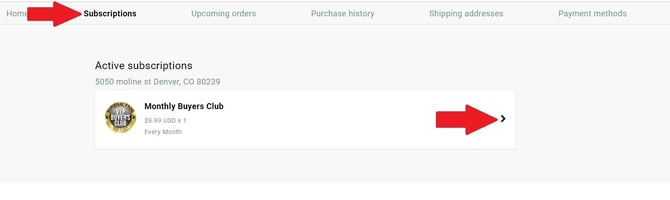
Select Subscriptions from the navigation bar.
-
Tap the active subscription you'd like to cancel.
-
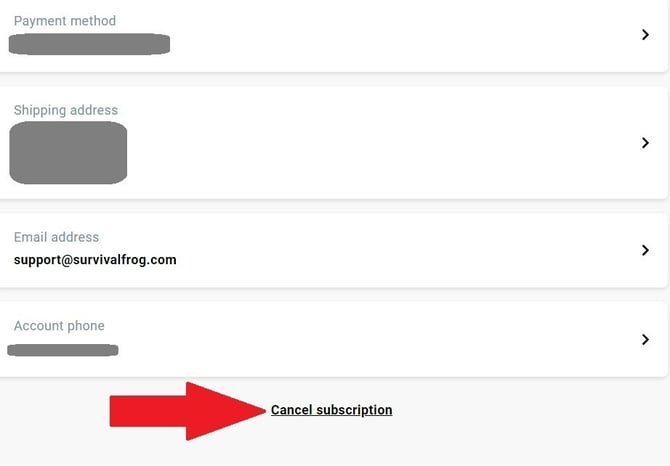
Scroll to the bottom of the page.
-
Click on Cancel Subscription.
For further assistance, feel free to reach out to us via live chat on site, or by email at support@survivalfrog.com. We're here to help! 🐸